Academy character workflow

From one image
to an animated character

A reference image goes in. A rigged character with six animations comes out, playing in a web viewer. Run end to end twice so far.

Live viewer: academy-character-preview.pages.dev

Result 1

Avatar Girl

A face with a 3D-render look, starting from a small round avatar.
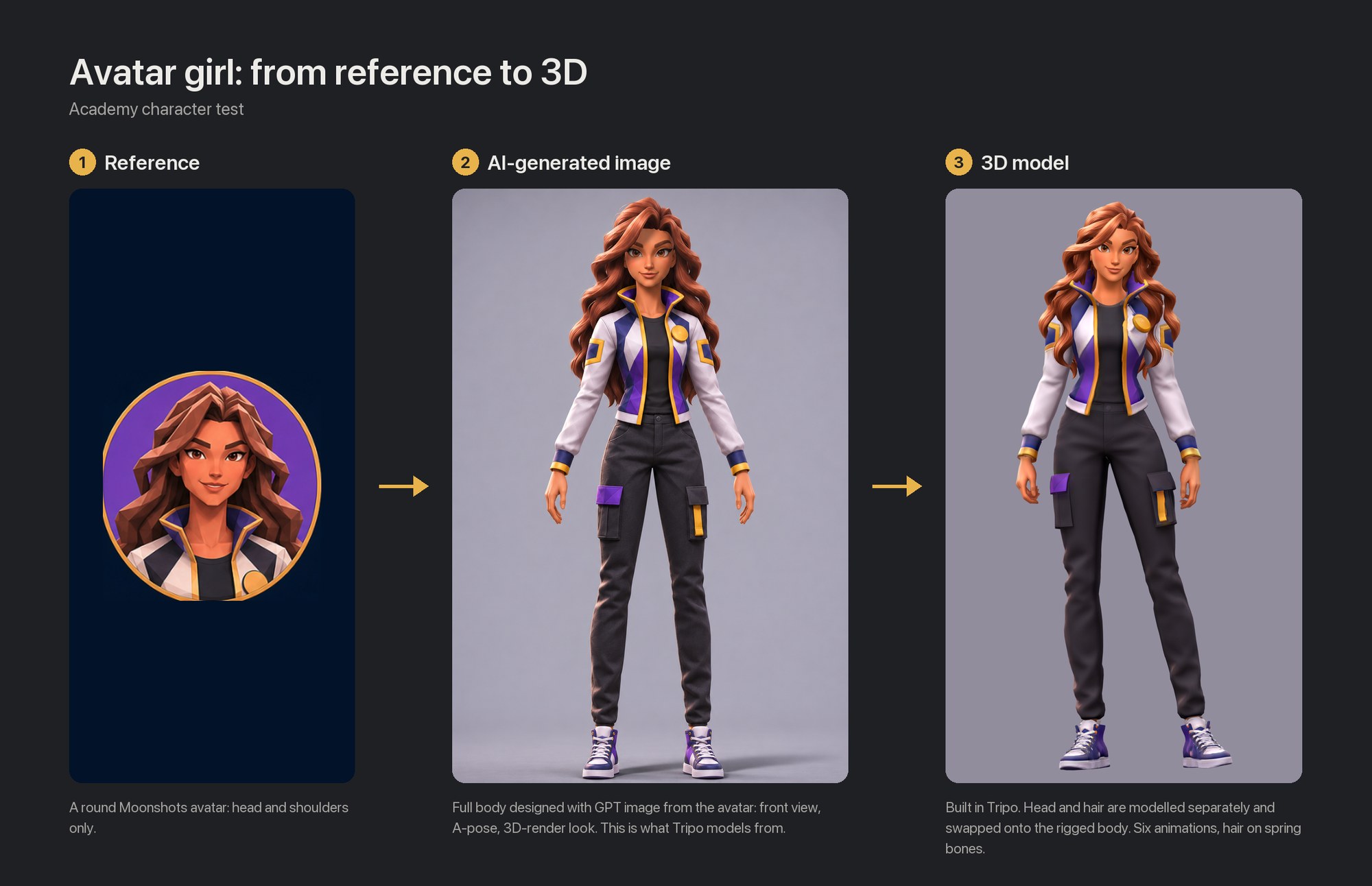
Avatar Girl: round avatar reference, AI-generated full-body image, finished 3D model
Result 2

Belle

An anime face, starting from one frame of the trailer.
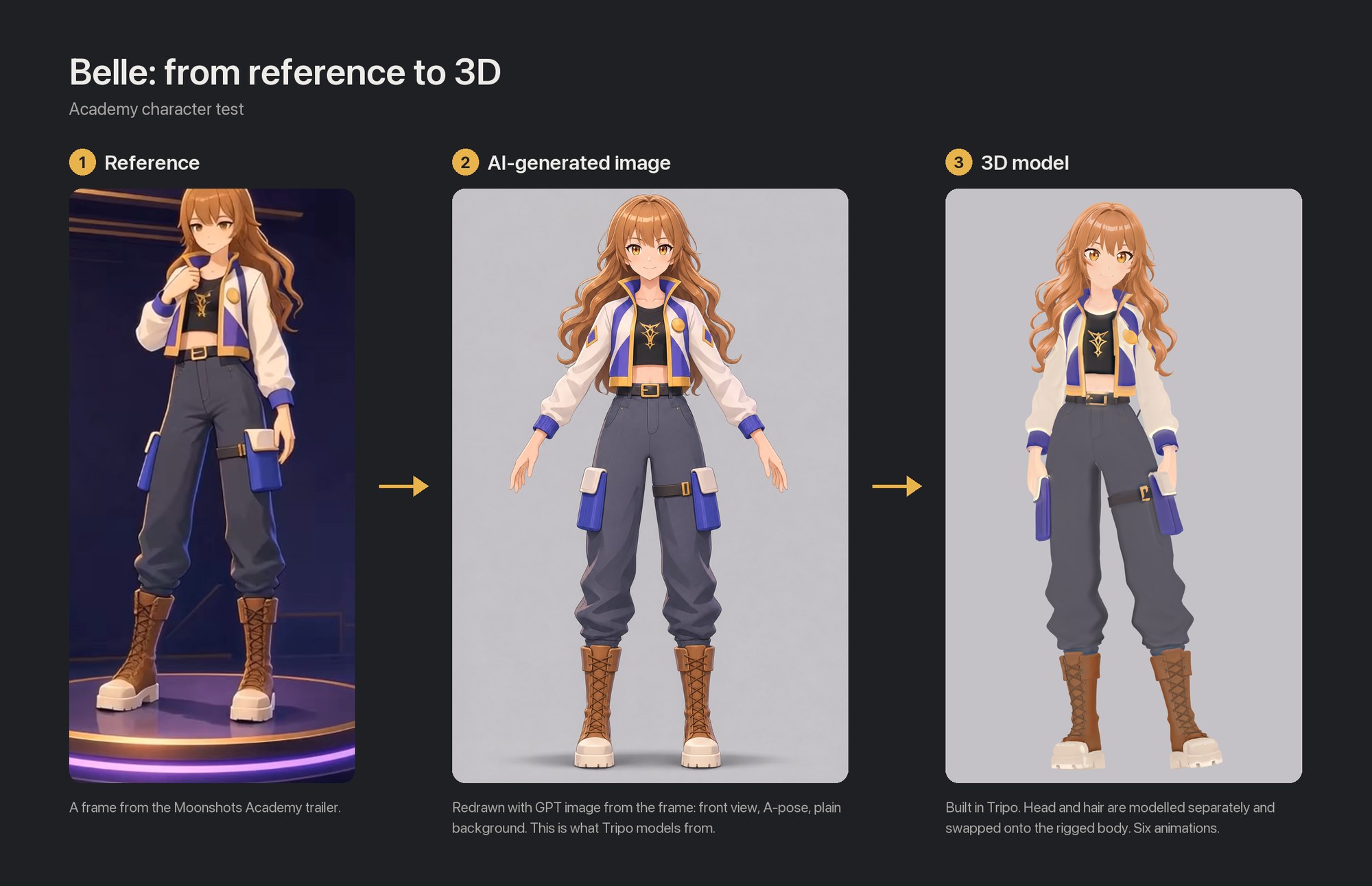
Belle: trailer frame reference, AI-generated full-body image, finished 3D model
The whole thing

Nine steps

Claude does the hands-on work, including operating Tripo. A person decides, approves and reviews.

1
Choose the referencePerson decides
2
Generate four imagesGPT imagePerson reviews each image
3
Model head and hairTripo, four fixed stepsPerson approves and reviews
4
Fit hair to headCompare with the source imagePerson reviews
5
Model body, rig, animateTripo, six preset animationsPerson approves and reviews
6
Swap the headScript, on the rigged filePerson reviews
7
Fix the animationsShoulders, feet, handsPerson reviews in motion
8
Final checkAgainst the source image; choose the light
9
Viewer and publishPerson approves every update
Step 2

Four images, all from one

The full-body front image is the baseline. The other three derive from it, and it is what the 3D model is compared against later.
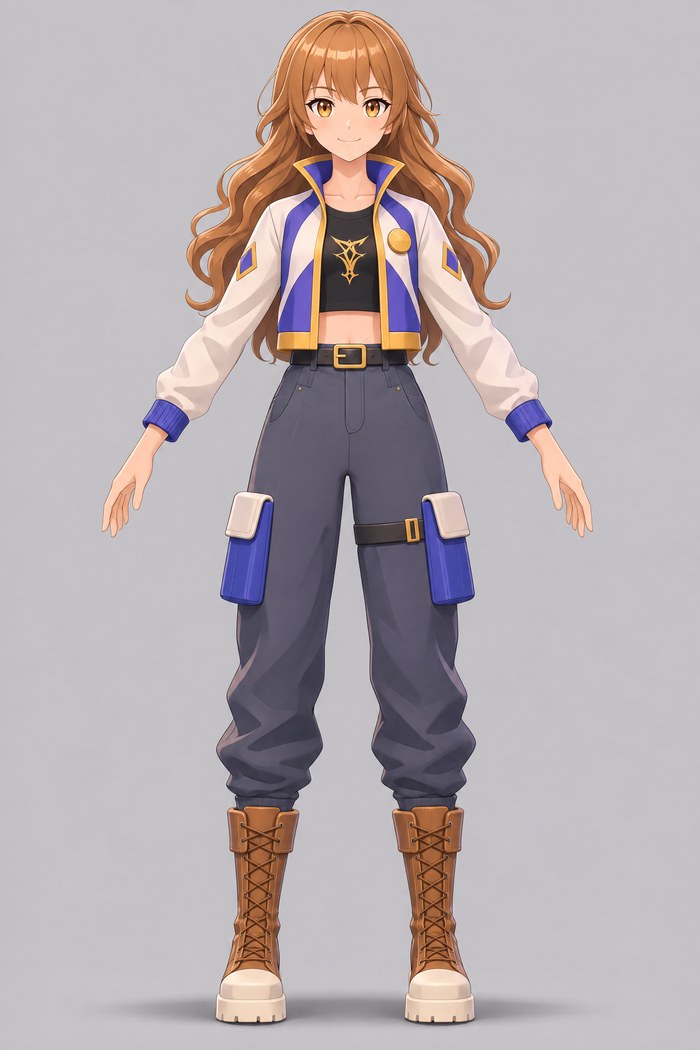
Belle full body, front, A-pose
Full body, front
The baseline
Bald full body

Same pose and outfit, no hair.
New in the workflow, not generated yet.
Bald full body
For modelling the body
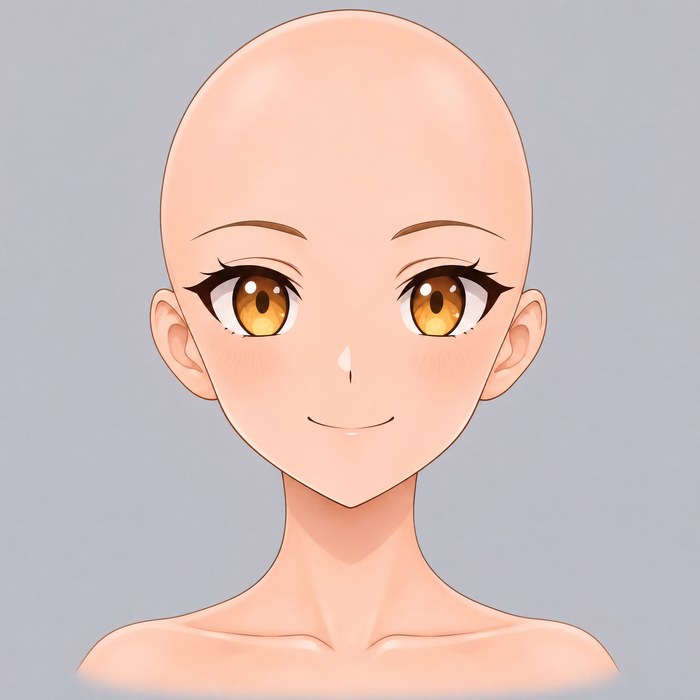
Belle bald head close-up
Bald head close-up
For modelling the head
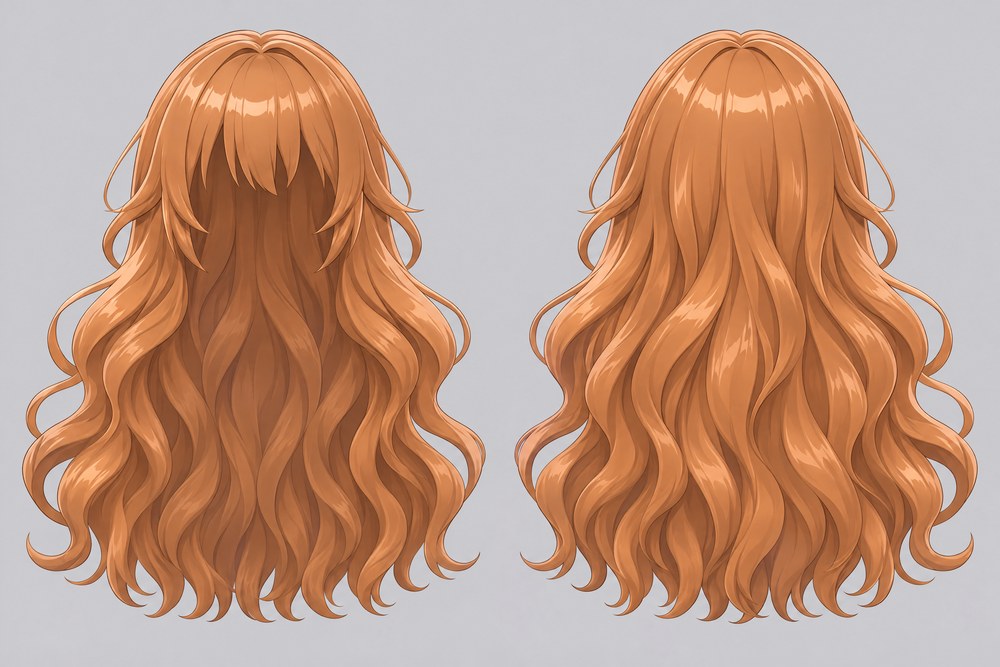
Belle hair, front and back views
Hair, front and back
For modelling the hair
Steps 3 and 5 · Tripo

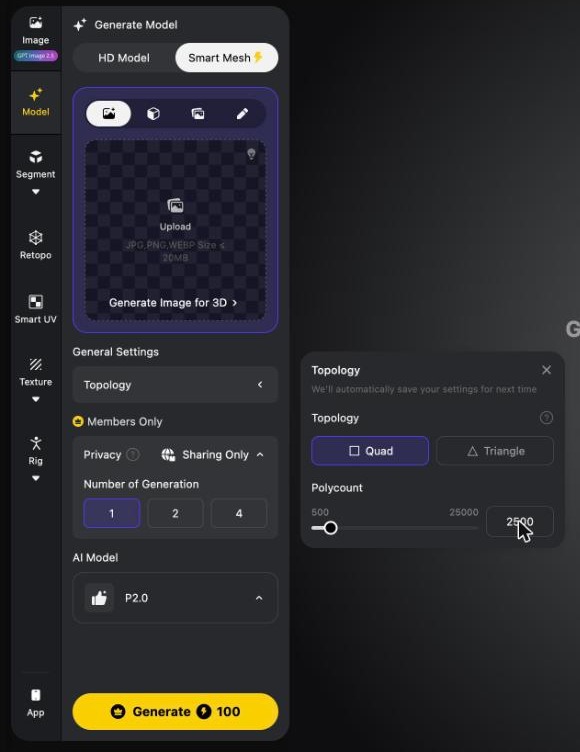
Model: Smart Mesh, quads, a budget per part

Tripo Generate Model panel with Smart Mesh selected, topology Quad, polycount 2500 123
  1. 1
    Smart Mesh, not HD ModelThis is the setting that matters most.
  2. 2
    Topology: QuadEasier to rig, edit and reduce later. See the next slides.
  3. 3
    Polycount: head 2,500 · hair ~4,500 · body ~5,000About 24,000 triangles in total, inside the 15,000–25,000 target. The head is tested, hair and body are not yet.
  4. Costs credits, 100 at the time of this screenshot. A person approves before Claude presses Generate.
Steps 3 and 5 · Tripo

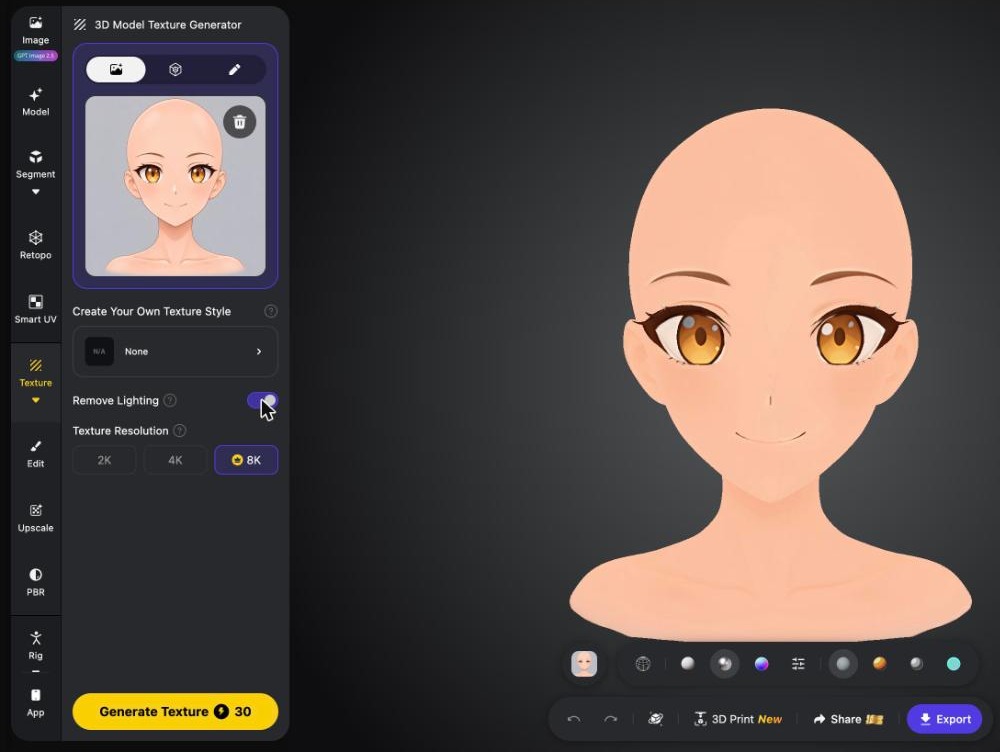
Then Smart UV, then a de-lighted texture

Tripo Texture panel with Remove Lighting switched on and 8K resolution 1234
  1. 1
    Smart UV firstSidebar, just above Texture.
  2. 2
    Texture: Remove Lighting onBaked-in highlights and shadows fight with the light in the engine.
  3. 3
    Resolution: 8KWhat the first two characters used.
  4. 4
    Upscale is optionalDecide case by case.

Segment and Retopo in the sidebar are not used. Rig is only for the body.

Why this setting

Why quads, not triangles

The engine uses triangles anyway

Every model becomes triangles in a game engine. Quads are for the production process, not the final result.

Quads bend better

They can run in loops around joints and facial features, so a rigged mesh folds along them and collapses less.

Quads edit better

Blinks and mouth shapes come later. A whole loop can be selected, added or removed.

Checked on the head

On the 2,500-quad head the loops follow the eyes, mouth and nose. Hair and body are not checked yet.

The first two characters used 25,000 quads per part and came to 120,000–130,000 triangles. With a budget per part, the model is inside the 15,000–25,000 target from the start.
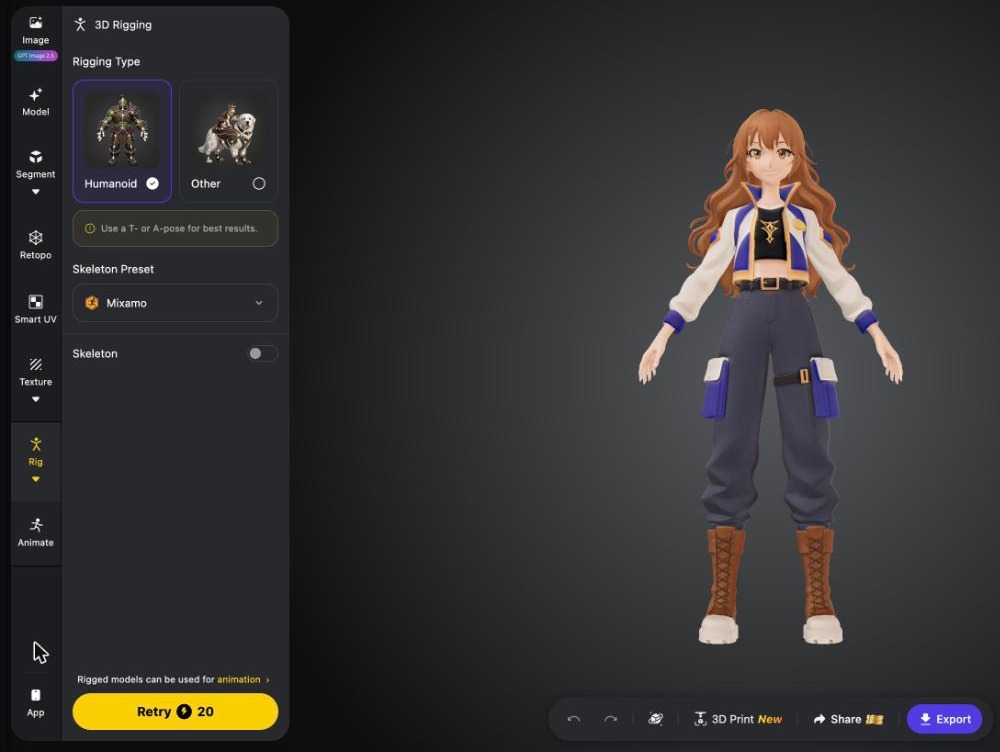
Step 5 · Tripo

Body: rig, six animations, export

Tripo 3D Rigging panel with Belle's body, Humanoid selected 123
  1. 1
    Rigging type: Humanoid
  2. 2
    Skeleton preset: VRM humanoid55 bones. The dropdown shows Mixamo by default.
  3. 3
    Animate: idle, walk, run, agree, greet, cheerApplying a preset is free. Export as GLB, 8K, with the skeleton and all six.
  4. The body is modelled from the bald full-body image. With hair on, the hair fuses with the clothes.
Lesson 1

Correct against the source image

Put the model next to the image that was fed to Tripo, at the same body height, and measure. Do this before asking anyone to look.
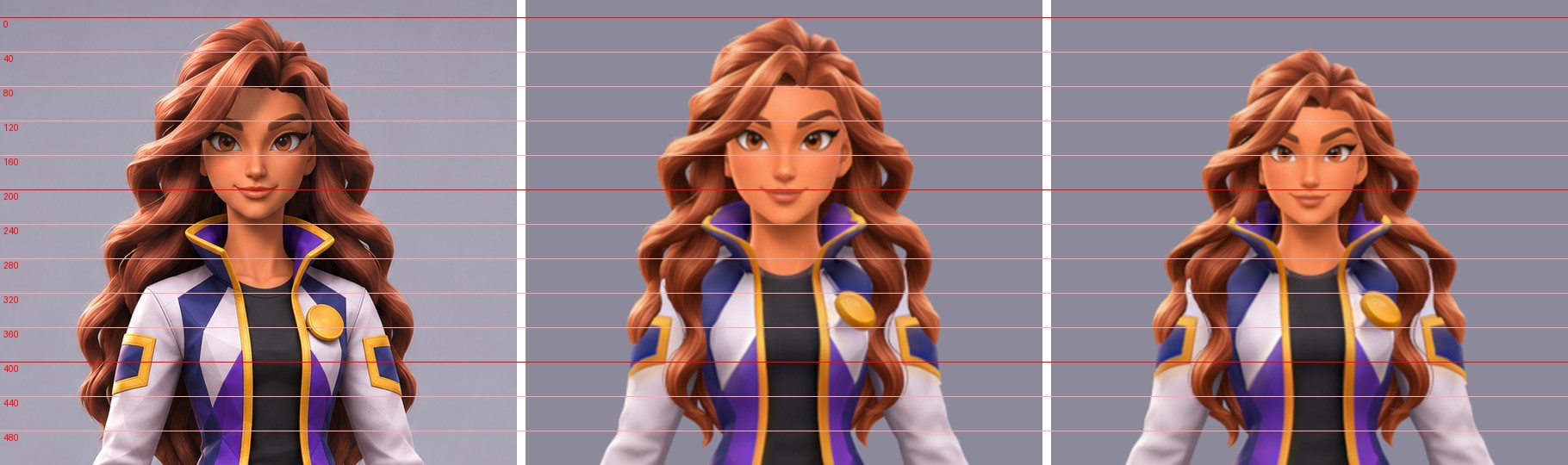
Avatar Girl head: AI image, model before, model after, with guide lines

Left to right: source image, model before, model after. The face was 29% too large and went down to 85%. It had been matched to Tripo's body instead of the source image, which hid the problem.
Lesson 2

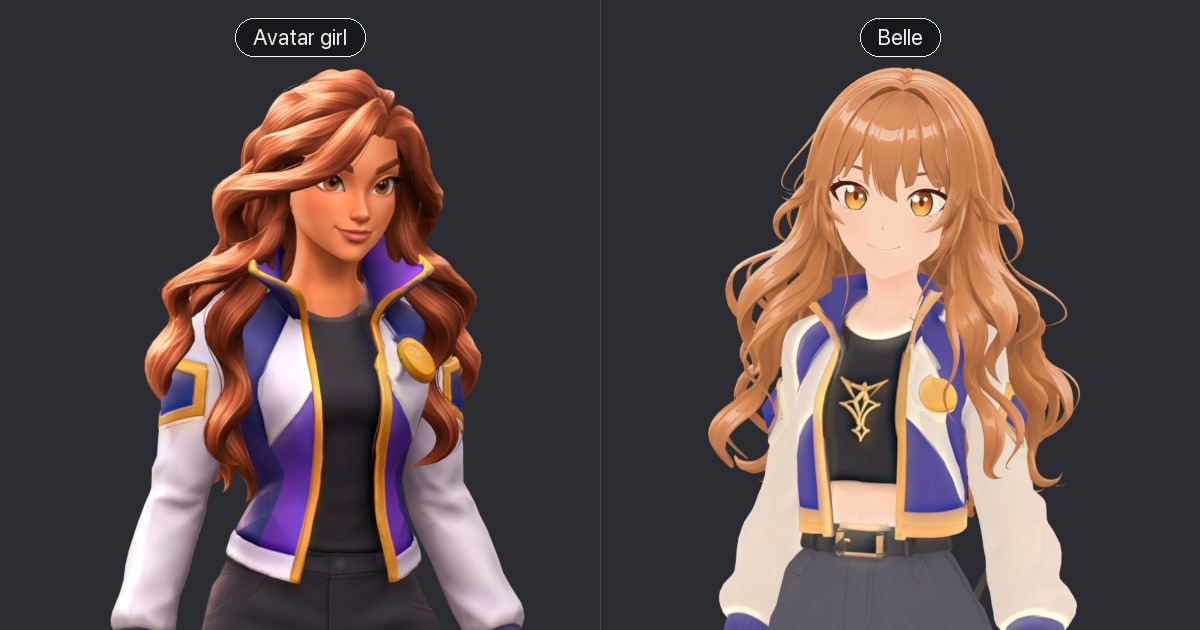
The light follows the art style

Avatar Girl with lit shading, Belle with flat shading

3D-render look Lit

Avatar Girl. Ambient, key and rim light, no cast shadows. Flat light wipes out the volume of her face.

Anime face Flat

Belle. Flat light or toon shading. Strong directional light makes an anime face look like a figurine.

On one page, each character gets its own default light, with the switch under that character.
Step 7

Fix what the preset animations break

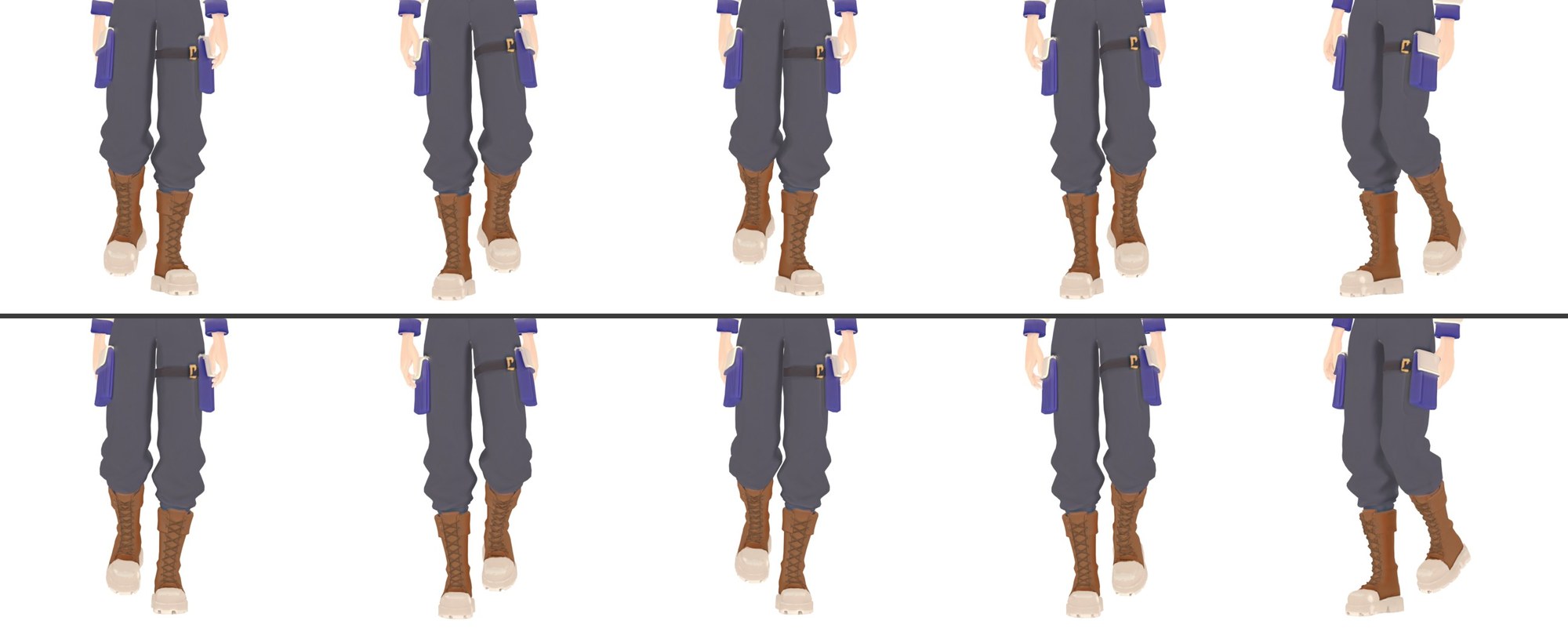
Belle walking, front view: toes turned out before, straight after

Belle's walk, before (top) and after (bottom). The whole leg was rotated outward from the hip, 14–21° on the ground. Now 3°.

Drooping shoulders

Collarbones about 20° lower than the rest pose in idle and walk.

Toes turned out

Turned back in below the knee.

Hands in pockets

Hands sank into the thighs by up to 2% of body height.

People in the loop

Where a person is needed

Claude checks what can be measured: size, position, colour. Whether it looks like her, and whether it looks good, still needs a person.

Decide

  • Which reference image, which version of the character
  • Details of taste, such as a beauty mark
  • Public names and URLs

Approve

  • Every step that spends Tripo credits
  • Publishing, and every later update

Review

  • The four images
  • The result of each Tripo step
  • Head with hair
  • Full body after the swap
  • The character in motion
  • The page before it goes live
Status

Not done yet

Rebuild within budget

Both characters are still 122,000 and 133,000 triangles. Only one head has been rebuilt at 2,500 quads.

VRM

Plain GLB for now. Only the bone naming follows VRM.

Expressions

No blink, smile or mouth shapes.

Hair bones for Belle

Her hair passes through her shoulders in motion.

In-engine test

Seen only in the web viewer so far.

See both characters: academy-character-preview.pages.dev